Is There a Free App for Tracking Daily Activity? What Actually Works
The Question Everyone Asks
"I want to track my routines, but I'm not paying for an app."
Fair. You shouldn't have to.
The problem: Most "free" apps either disappear after 6 months or are limited to the point of being useless.
So what actually works? And when is it worth paying?
This article breaks down the real landscape of free routine and activity tracking apps—what's genuinely free, what's freemium (free with limits), and whether you should upgrade.
What "Free" Actually Means (3 Categories)
1. Completely Free
No cost, ever. No ads. No premium tier. Examples: Google Calendar, Apple Reminders, Notes app, basic spreadsheets.
2. Freemium
Free version with limitations (usually tracking 1-3 routines, basic features). Premium tier unlocks more routines and advanced features.
3. Free Trial + Paid
You get 7-30 days free, then you must pay to continue. No real free version.
Most popular routine apps fall into category 2 (freemium).
The Free Apps That Actually Work
Google Calendar ⭐ Truly Free
- Cost: Free, forever
- What it does: Track routines visually on a calendar, set recurring events, get notifications
- Limitations: Not designed for habit tracking (can't log completion easily)
- Best for: People who just need a visual routine schedule
- Why it works: Simple, accessible, already installed on most devices
Apple Reminders ⭐ Truly Free (iOS)
- Cost: Free on all Apple devices
- What it does: Create daily/weekly reminders, organize by category, add notes
- Limitations: Doesn't show streaks or progress; purely reminder-based
- Best for: People who just need notifications for routines
- Why it works: Built-in, zero friction, no learning curve
Spreadsheet (Google Sheets, Excel) ⭐ Truly Free
- Cost: Free
- What it does: Track anything you define in a grid; create simple charts
- Limitations: Manual, time-consuming, no notifications
- Best for: Data-focused people who want flexibility
- Why it works: Complete control, unlimited tracking
Roz ⭐ Freemium (Best Value)
- Cost: Free tier available, Pro plan $2.99/month
- Free version: Track up to 2 routines
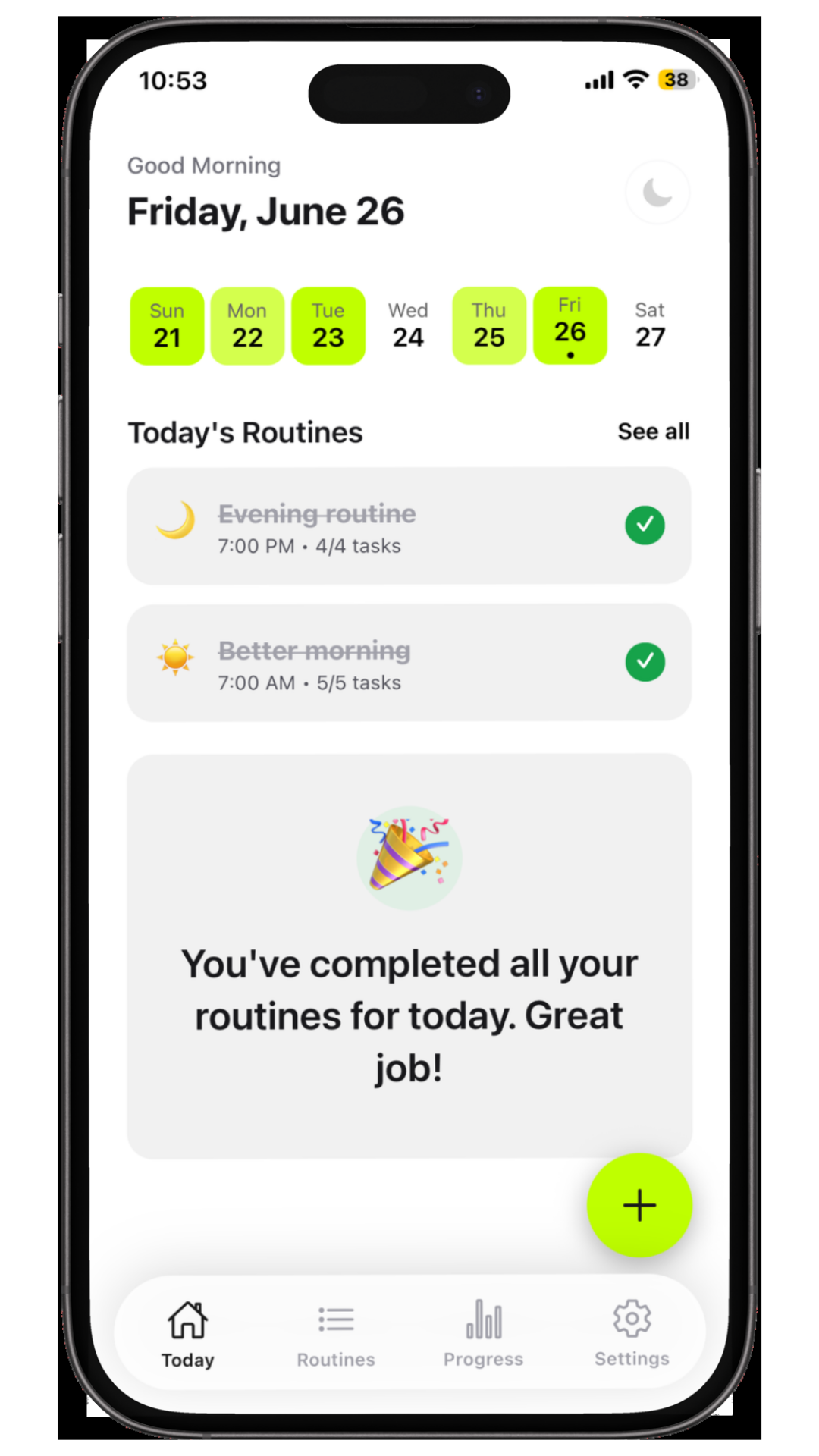
- What it does: Build custom routines with smart reminders, track streaks, view analytics and insights
- Pro plan includes: Unlimited routines, detailed analytics, streak tracking, progress insights
- Why it stands out: Data saved locally on your device (no login required), no ads, built specifically for routine management
- Best for: People who want a serious routine tracking app without the high subscription cost
- Why it works: Simple interface, ADHD-friendly design, affordable pricing, respects your privacy
Loop Habit Tracker ⭐ Truly Free (Limited)
- Cost: Free app with optional donation
- What it does: Track up to unlimited habits; visualize streaks; simple progress view
- Limitations: Very basic interface; no reminders; no social features
- Best for: Minimalists who want pure tracking with no bloat
- Why it works: Open-source, ad-free, lightweight
The Truth About Free Apps (Honest Assessment)
✅ What Free Apps Do Well
- Low barrier to entry - You can try before buying
- Good for simple routines - 1-2 routines? Free works fine
- No credit card required - No accidental charges
- Data privacy - Many free/freemium apps store data locally on your device, keeping your information private
❌ Where Free Apps Fall Short
- Limited to 2-3 routines - If you have more, you hit the paywall
- Basic analytics - Can't see deep patterns across months
- No advanced reminders - Simple notifications, no smart timing
- Ads or upsells - Many free apps nag you to upgrade
- Poor support - Free users often have limited customer support
- Limited platforms - Many free apps iOS-only (at least for now)
Free vs. Paid: When Should You Upgrade?
Use Free If:
- ✅ You're tracking 1-2 routines (morning and evening)
- ✅ You just need a visual record and reminders
- ✅ You're testing whether routine tracking works for you
- ✅ You want zero learning curve
- ✅ You don't want to commit financially
Upgrade to Paid If:
- ✅ You want to track 3+ routines simultaneously
- ✅ You want detailed analytics and insights
- ✅ You want advanced reminder scheduling
- ✅ You're committed to this long-term
- ✅ You want features like social accountability or community
- ✅ You need cross-device syncing
Real talk: According to app retention research, most people start with free. About 30% upgrade within 3 months once they realize tracking actually works for them.
What Makes a Good Free Routine App?
If you're evaluating free options, look for:
✅ No account required - Data stays on your device (Rozana is a great example - no login needed)
✅ Offline capability - Works without internet connection
✅ Simple interface - Doesn't require 20-minute setup
✅ Actual reminders - Notifications push you to complete routines
✅ Visual progress - You can see streaks or weekly completion at a glance
✅ Export/backup - You can download your data if you leave
✅ Honest limitations - Free tier is useful, not crippled
The Hidden Cost of "Free"
Here's something important: Nothing is truly free.
The question is: What are you paying with?
Free = Ad-Supported
You see ads. Not terrible, but distracting while trying to build routines.
Free = Data Harvesting
Your routine data is valuable. Some free apps collect it to sell to advertisers or health companies.
Better: Apps that store your data locally on your device, not on their servers. You get privacy without paying.
Free = Limited Support
Don't expect fast help if something breaks. Free users are deprioritized.
Free = Freemium Pressure
Most free apps are designed to make the free tier frustrating enough that you upgrade. It's intentional.
Alternatives to Apps (Still Free)
Not everyone wants an app. Here are other free options:
Bullet Journal / Physical Notebook
- Cost: $5-20 for a notebook
- Pros: Tactile, creative, offline, zero distractions
- Cons: No reminders, manual tracking, doesn't sync across devices
- Best for: People who like writing, visual learners
Google Calendar + Pen & Paper
- Cost: Free + optional notebook
- Pros: Visual calendar + handwritten logs
- Cons: Hybrid approach (requires both tools)
- Best for: People who want both digital and tactile
Spreadsheet + Phone Reminder
- Cost: Free (Google Sheets + Apple Reminders/Google Calendar reminders)
- Pros: Fully customizable, no app needed, complete control
- Cons: Manual, time-consuming to set up
- Best for: Data-focused people who don't mind the work
Should You Upgrade? Decision Tree
Do you have 3+ routines you want to track?
- Yes → Consider upgrading (free tier too limited)
- No → Free is fine
Do you want detailed analytics and insights?
- Yes → Upgrade (free apps don't provide this)
- No → Free is fine
Are you committed to tracking for 6+ months?
- Yes → Upgrade (small monthly cost worth it for long-term consistency)
- No → Free is fine
Do you want reminders and notifications?
- Yes → Upgrade (free apps have basic reminders only)
- No → Free is fine
If you answered YES to 2+: Upgrading is worth considering. $5-10/month is minimal compared to the value of better routine management.
If you answered NO to most: Free is genuinely sufficient.
Real Talk: The Free App Landscape in 2026
The situation:
- Most quality routine and habit apps are freemium
- Free tiers are genuinely usable for 1-2 routines
- Paid tiers are legitimately useful if you commit
- Privacy varies widely (check if data is local or cloud-synced)
The trend:
- More apps are moving to local storage (better privacy)
- Free tiers are staying usable (not crippled like they used to be)
- Paid upgrades are getting cheaper ($4-10/month instead of $10-20)
What to Do Right Now
If you're just starting:
- Pick one free option (Google Calendar, Apple Reminders, Rozana's free tier, or Spreadsheet)
- Track one routine for 2 weeks
- See if routine tracking actually helps you
- After 2 weeks, evaluate: "Is this working?"
If routine tracking is working for you:
- You've outgrown the free tier (can't add more routines)
- You want better analytics and insights
- You're ready to invest in consistency
- Upgrade to a paid plan. Rozana's Pro plan at $2.99/month is one of the most affordable options with unlimited routines and analytics
FAQ
Q: Is the free version really usable, or does it suck?
A: It depends on the app. Well-designed freemium apps (like Habitify's free version) are genuinely useful for 1-2 routines. Others are crippled intentionally. Read recent reviews before downloading.
Q: Will I lose my data if I upgrade later?
A: Most reputable apps migrate your free data to the paid version. Check the app's privacy policy before starting.
Q: What if I use the free tier and then stop?
A: Your data stays on your phone (if it's stored locally). You can export it or transfer it if the app allows.
Q: Is it worth paying for routine tracking?
A: If you use it consistently and it improves your life, yes. If you try it for 2 weeks and abandon it, no. Start free, then decide.
Q: Why are most apps freemium instead of free?
A: Building and maintaining apps costs money (servers, customer support, development). The free tier attracts users; the paid tier keeps the app alive.
The Bottom Line
Is there a free app for tracking daily activity?
Yes. Many. They genuinely work—if you stick with them.
The best one depends on what you need:
- Just need reminders? Apple Reminders or Google Calendar (free, forever)
- Want habit tracking with streaks? Loop Habit Tracker (free, open-source)
- Want a real routine app with affordable paid plan? Rozana offers 2 free routines and unlimited routines at just $2.99/month with analytics and local data storage
- Want flexibility and control? Spreadsheet (free, fully customizable)
Start with Rozana's free tier or your preferred free option. If it works after 4 weeks, you know tracking helps you. Then decide if upgrading is worth it.
Most people find it is. Rozana's Pro plan at $2.99/month is one of the most affordable paid options, beating the cost of chaotic mornings and missed routines.
Sources & Further Reading
- James Clear - Atomic Habits - https://jamesclear.com/habits
- Research on habit formation, tracking, and app effectiveness
- Roz - https://rozapp.co/
- Routine tracking app with free tier (2 routines) and Pro plan ($2.99/month for unlimited)
- Habitify - https://habitify.me/
- Freemium routine tracking app
- Loop Habit Tracker - https://play.google.com/store/apps/details?id=org.isoron.uhabits
- Open-source, free habit tracking
- Streaks - https://www.streaks.app/
- Habit tracker with streak visualization and analytics
- Done - https://www.donedoneapp.com/
- Goal and habit tracking application
- TickTick - https://ticktick.com/
- Task management and routine tracking app
- Google Calendar - https://calendar.google.com/
- Free visual routine planning tool
- Apple Reminders - https://support.apple.com/en-us/HT205890
- Built-in iOS reminder system
- American Psychological Association - Self-Control - https://www.apa.org/science/about/psa/anxiety
- Research on data privacy and mental health app safety
- Journal of Applied Psychology - https://www.apa.org/pubs/journals/apl
- Research on habit tracking and self-monitoring effectiveness
Disclosure: Roz is a routine tracking app designed with ADHD-friendly features. This article recommends various tools based on what works best for different needs and use cases. Rozana is featured prominently because it offers one of the best free-to-paid value propositions (unlimited routines at $2.99/month with local data storage). All links are provided for informational purposes. We genuinely recommend the tools and apps mentioned based on their utility and effectiveness.

Ready to build habits that stick?
Join thousands of people with ADHD using Roz to track routines and build streaks.
Get started freeMore from the blog
View all in guide
Good Work Routines: 7 Workout Routine Examples + A Tracking System
A good workout routine reduces friction, protects your time, and builds momentum. But here's what separates people who stick with workout routines for months versus those who quit after two weeks: they track it
 Ahmer Saud
How a Simple Night Routine Can Transform Your Sleep
When you repeat the same sequence of activities every evening, your body begins to recognize that sleep is approaching. Over time, these repeated cues help your brain transition into a relaxed state, making it easier to fall asleep consistently.
Ahmer Saud
ADHD Routine Tracker Apps: The Ultimate Guide to Breaking Executive Dysfunction with an "External Brain"
You set the alarm for 7:00 AM. It goes off. You snooze it. At 7:30, you know you need to get up, shower, and eat breakfast. But you lie there, scrolling, paralyzed. Your brain screams "Get up!" but your body doesn't move.
Ahmer Saud